
Quiet software: MonoBar Site Monitor
Published October 8, 2026 by Daniel Annbjer
My website kept going down.
Not dramatically. Not often. Just often enough that I’d find out at the worst possible moment — from a friend, from a broken link in a conversation, from opening it myself in front of someone. The tools that were supposed to solve this all wanted the same things: an account, a dashboard, a monthly subscription, and a relationship. I wanted one piece of information: is my site up right now?
So I built the thing I actually wanted. It’s called MonoBar, it lives in the Mac menu bar, and it’s the first macOS app I’ve ever shipped.
The whole product is a glance
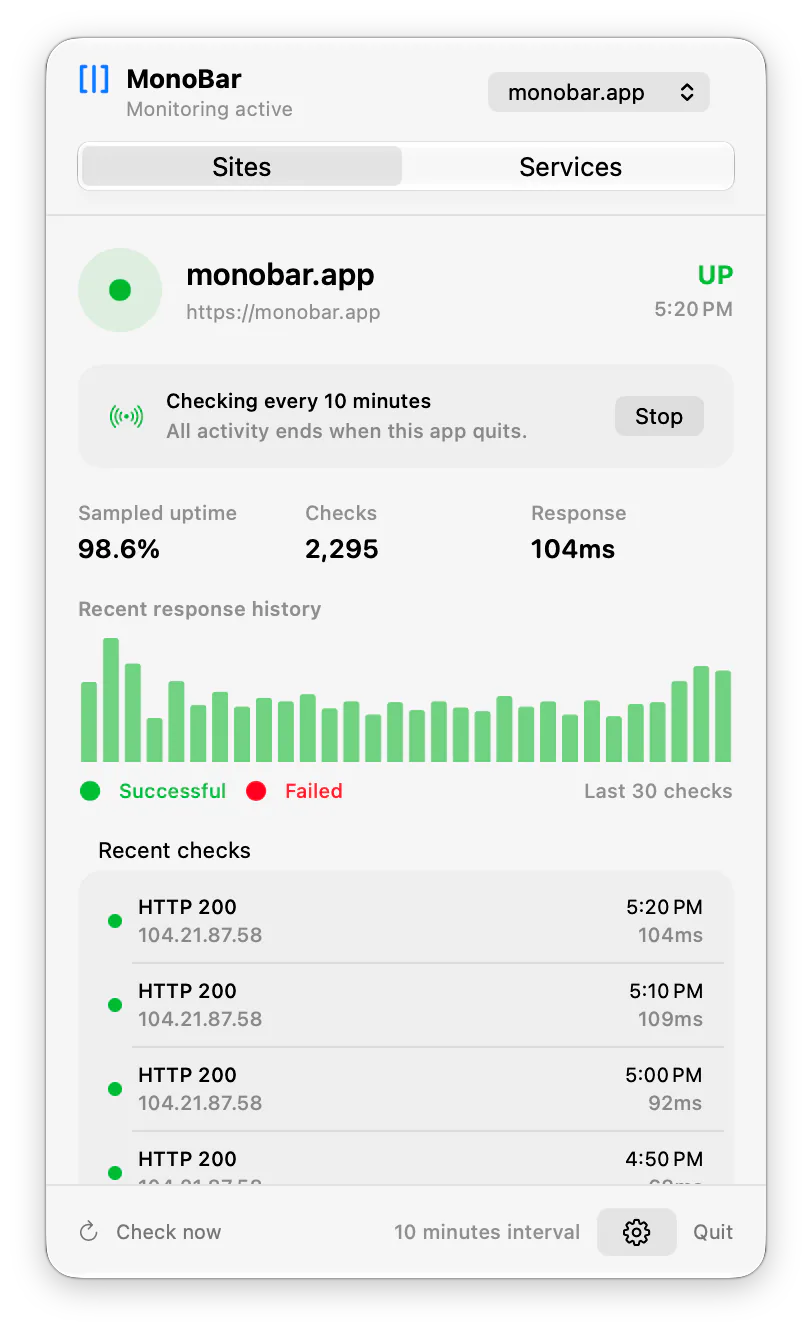
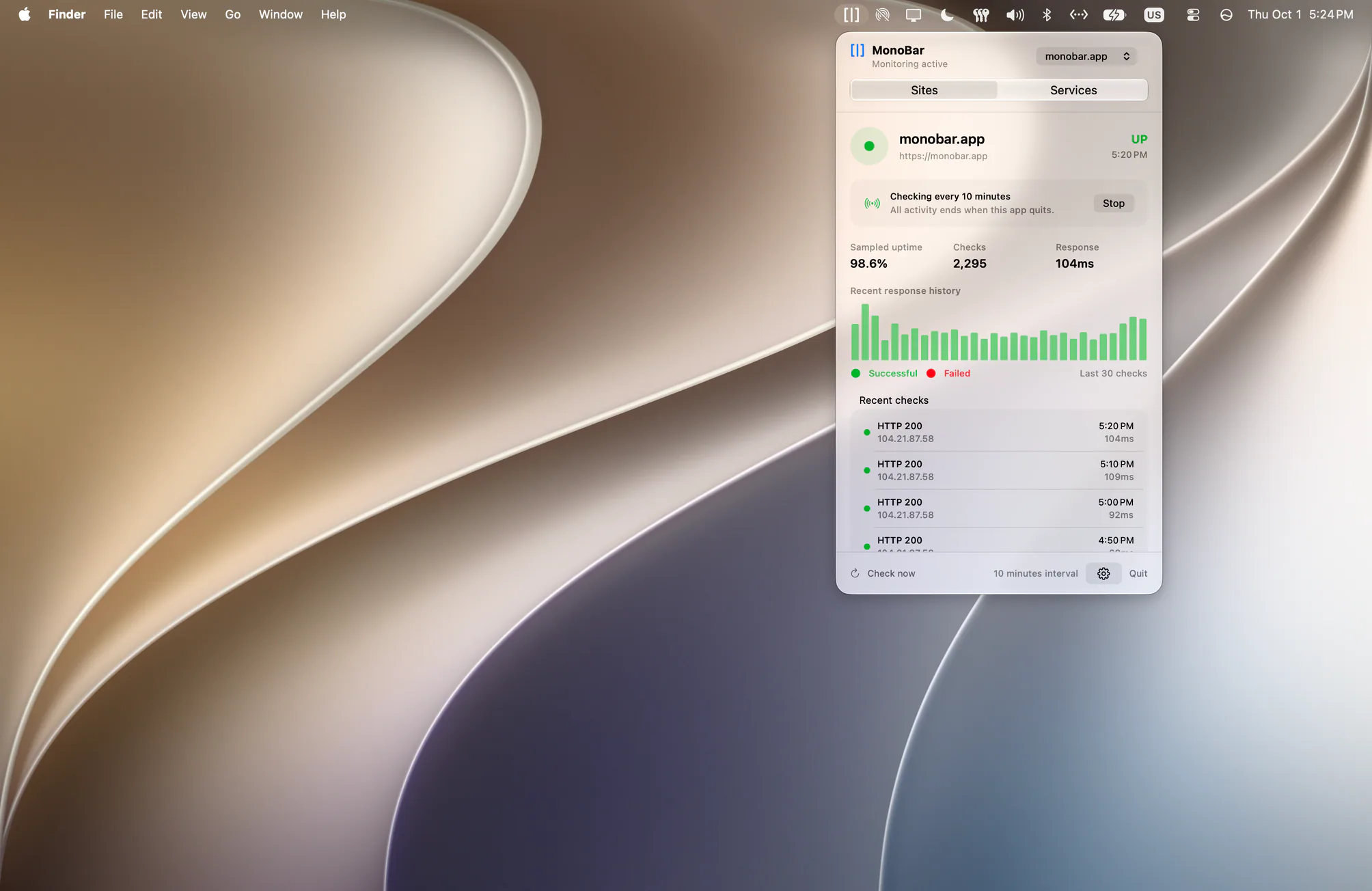
MonoBar sits in the menu bar as a small [|] symbol. Click it and you get a native dashboard: is the site up, how fast is it responding, what do the last thirty checks look like. Close it and it gets out of the way. That’s it. That’s the product.
Everything I decided about it came from one question: what’s the quietest version of this? No account, because you shouldn’t need a relationship to check your own website. No cloud, because your monitoring data doesn’t need to live on someone else’s computer. No telemetry, because it’s none of my business how you use it. Your sites, settings, and history stay on your Mac, in a folder you can look at and even delete if you want.
And it only checks while it’s running. Quit the app and everything stops. I know that sounds like a limitation most monitoring products would bury in a footnote. I think it’s the point. MonoBar is a companion, not a service. It watches while you work. If you need a robot in a data center watching 24/7 and paging you at 3 AM, hosted monitoring exists and MonoBar pairs happily with it. Most of us, most days, need the glance.
Built native, because it had to feel like the Mac
I’m a designer who drifted into development, and the bar for menu bar apps is set by the system itself: light, quiet, at home in both light and dark mode. MonoBar is Swift all the way down, one small process, near-zero resources, a real native dashboard. It follows your region’s number formats. It respects your appearance settings. It behaves like something that belongs on your Mac, because it does.
The day it earned its keep
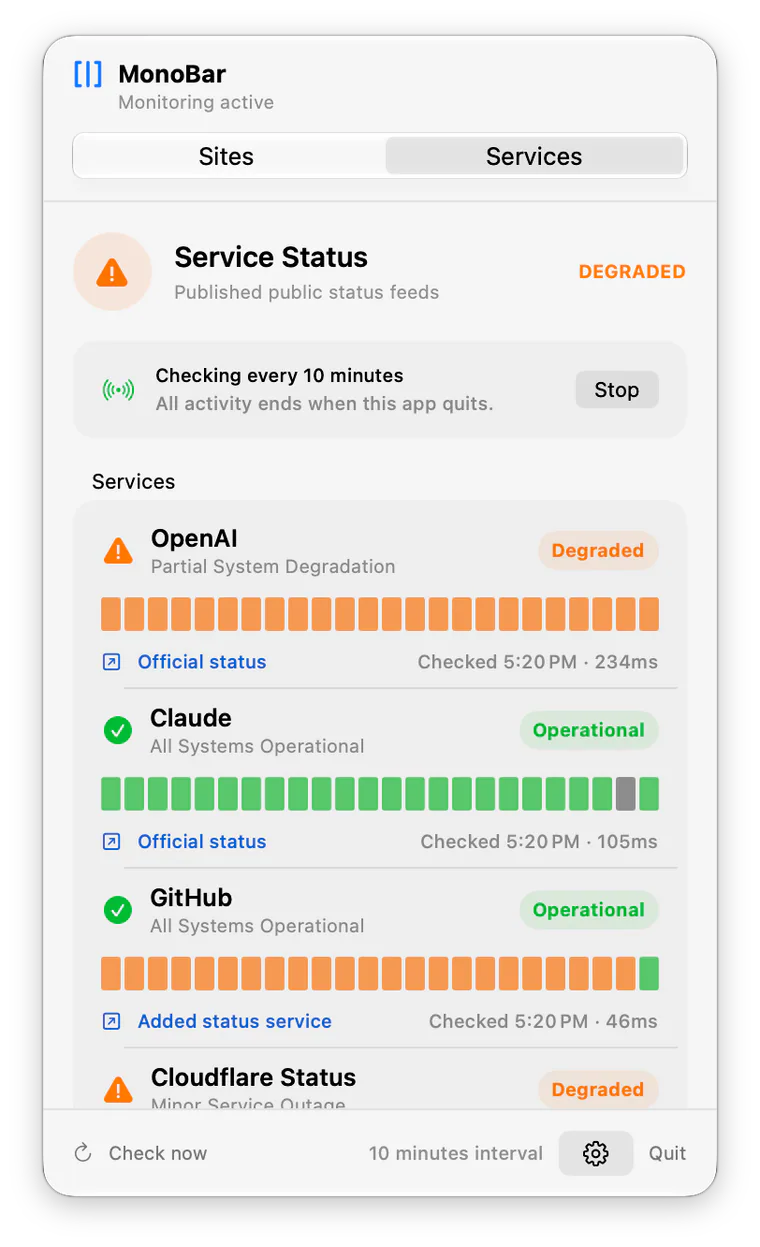
While I was building it, I added a second tab almost as an afterthought: official status feeds for the AI providers I lean on daily, like Claude and OpenAI. Off by default, like everything else.
Then one afternoon my coding agent started throwing errors mid-session. Red ones. The old me would have spent twenty minutes debugging my own setup. Instead I glanced at the menu bar: OpenAI showed an outage. One click to their official status page confirmed it. Not my code, not my network, nothing to fix. I closed the laptop and took a break.
That’s the entire pitch, honestly. The app didn’t page me or sell me an incident retrospective. I glanced, I knew, I moved on with my life.
Free, and actually free
MonoBar is free: one website, monitored completely, with the Claude and OpenAI status feeds included. Not a trial, not a demo with the good parts locked — the complete experience for the thing most people need.
For people watching more than one site, there’s MonoBar Pro: up to 25 websites, up to 10 additional status services like GitHub or Cloudflare, and native notifications when something changes. It’s a one-time purchase — €14, for up to three Macs. No subscription, no account. Buy once, done. It funds me keeping MonoBar fast, private, and current. But privacy, security, and fixes will never be behind the paywall. Free is not a hostage.
Watch the version with English playback captions on the MonoBar website.
It’s out
MonoBar is available today at monobar.app — signed, notarized, no account required, and set up in less time than it takes to make a coffee. Apple Silicon, macOS 14 or later. A Mac App Store version is coming soon.
If your website has ever gone down without telling you, this is the quiet little tool I wish I’d had.
It’s early days — if something feels off, support@monobar.app reaches an actual person, namely me.